Saturday, September 10, 2011
Assignment Post 4
Nowadays we are just collecting information and presenting it in the wix presentation. As well as this we are adding pictures to each page, to have a visual sense of what each topic looks like and also to attract the viewers. I am trying to get all the information on word first so that there is no spelling errors then transfer it to wix. I have only finished 1 topic and have done a little bit of the rest therefore I need to move quickly since there is only one week left

Friday, September 9, 2011
Assignment Post 3
There were many websites I explored when doing my research about netbooks here is a brief summary of some of the information and the websites i used.
What are Netbooks?
Netbooks(sometimes also called small notebooks or ultraportables) are small laptops designed primarily for internet based applications.It is lightweighted, smaller than a computer with a longer battery life.They are usually equipped in smaller monitor size, usually 9-10 inches wide and lacks in a CD/DVD drive. We can use netbooks for various reasons, some of which are surfing the internet or jsut normally going to facebook and checking your email. Netbooks can be used for word processing and spreadsheet work as well just for everyday use.
Here are the videos I inserted for this topic. I found many on what netbooks are, and lots of the different types and pros and cons about each. Here are some of the videos:
Some of the Websites I used:
http://gigaohttp//www.amazon.com/Lenovo-0651-37U-10-1-Inch-Multitouch-Netbook/dp/B0032ALW5Cm.com/2008/12/05/5-things-to-consider-before-buying-a-netbook/
http://www.bestnetbooksreview.com/examining-the-different-types-of-netbooks.html
Different Types and Pro and Cons of each
There are various types of netbooks used in our everyday society, some of the main ones are:
*The smallest of the Small(7 inch,8.9 inch)
*Ten inch units(10.1 inch,10.2 inch)
*A step Above(11.6 inch,12.1 inch)
*Touch Screen(Tablet Netbook)
Pros:
There are many advantages of having a netbook some of which are:
*THE PRICE:
Netbooks are really affodable. But other than that they are genuinely good value for money too.
*MOBILITY:
Netbooks are super portable thanks to their light weight,small footprint and brilliant battery life.
*WIFI:
Browse the web from your bed, or while your at a shop, basically browse anywhere.
*COLOUR:
Netbooks often come in various of colours. Like black,white, pink,green etc.
Cons:
There are also many cons in getting a netbook, some of which are:
*COMPUTING POWER:
Netbooks will suit most computer users absolutely fine. But you would not be able to pplay the latest games on the netbook.
*CD/DVD DRIVE:
Netbooks do not have a internal CD/DVD drive, however you can buy one ofr $30.
*SCREEN SIZE:
The screen size of netbooks are usually 10.1 inches. Sometimes it can get annoying having to deal with a small screen.
(The video in the bottom right hand corner describes the top 10 netbooks in 2011, this website also describe the pros and cons about each netbook, PLEASE WATCH)
What are Netbooks?
Netbooks(sometimes also called small notebooks or ultraportables) are small laptops designed primarily for internet based applications.It is lightweighted, smaller than a computer with a longer battery life.They are usually equipped in smaller monitor size, usually 9-10 inches wide and lacks in a CD/DVD drive. We can use netbooks for various reasons, some of which are surfing the internet or jsut normally going to facebook and checking your email. Netbooks can be used for word processing and spreadsheet work as well just for everyday use.
Here are the videos I inserted for this topic. I found many on what netbooks are, and lots of the different types and pros and cons about each. Here are some of the videos:
http://gigaohttp//www.amazon.com/Lenovo-0651-37U-10-1-Inch-Multitouch-Netbook/dp/B0032ALW5Cm.com/2008/12/05/5-things-to-consider-before-buying-a-netbook/
http://www.bestnetbooksreview.com/examining-the-different-types-of-netbooks.html
Different Types and Pro and Cons of each
There are various types of netbooks used in our everyday society, some of the main ones are:
*The smallest of the Small(7 inch,8.9 inch)
*Ten inch units(10.1 inch,10.2 inch)
*A step Above(11.6 inch,12.1 inch)
*Touch Screen(Tablet Netbook)
Pros:
There are many advantages of having a netbook some of which are:
*THE PRICE:
Netbooks are really affodable. But other than that they are genuinely good value for money too.
*MOBILITY:
Netbooks are super portable thanks to their light weight,small footprint and brilliant battery life.
*WIFI:
Browse the web from your bed, or while your at a shop, basically browse anywhere.
*COLOUR:
Netbooks often come in various of colours. Like black,white, pink,green etc.
Cons:
There are also many cons in getting a netbook, some of which are:
*COMPUTING POWER:
Netbooks will suit most computer users absolutely fine. But you would not be able to pplay the latest games on the netbook.
*CD/DVD DRIVE:
Netbooks do not have a internal CD/DVD drive, however you can buy one ofr $30.
*SCREEN SIZE:
The screen size of netbooks are usually 10.1 inches. Sometimes it can get annoying having to deal with a small screen.
(The video in the bottom right hand corner describes the top 10 netbooks in 2011, this website also describe the pros and cons about each netbook, PLEASE WATCH)
Monday, August 29, 2011
Assignment Post 2
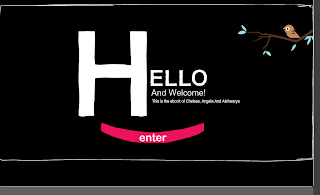
Today we finally finished decorating the website. Even though Sir told us that in this project the content is more important, my group still wants to make it look good. Here is a little snip it of it:

Wednesday, August 24, 2011
Assignment Post 1
Our next assignment is creating a ebook and we are using the presentation tool called wix.Today I am going to start my assignment with my group that cosists of Chelsea and Aishwarya. We have allocated different topics for each person.This is what each person is doing: BLUE SECTION:
Chelsea: Hand Held Devices
Me: Netbooks
Aish: Displays
PINK SECTION:
Chelsea: Piracy and Copyright
Me: Social Networking
Aish:Software License Types
YELLOW SECTION:
Chelsea:Secondary Storage
Me: Primary Storage
Aish: CPU
GREEN SECTION:
Chelsea:Cloud Computing
Me: bluetooth
Aish: wifi
since this assignment is broken up into sections everyone is doing one from each section as shown above. From now on we are just finding information and trying to make our ebook look interesting and informative.
Chelsea: Hand Held Devices
Me: Netbooks
Aish: Displays
PINK SECTION:
Chelsea: Piracy and Copyright
Me: Social Networking
Aish:Software License Types
YELLOW SECTION:
Chelsea:Secondary Storage
Me: Primary Storage
Aish: CPU
GREEN SECTION:
Chelsea:Cloud Computing
Me: bluetooth
Aish: wifi
since this assignment is broken up into sections everyone is doing one from each section as shown above. From now on we are just finding information and trying to make our ebook look interesting and informative.
Wednesday, August 17, 2011
HandHeld Computing
- What are MID and UMPC devices? How do they differ. List atleast three examples of both types of devices & include images.
- Business-class device for enterprise users
Runs a "heavy" OS like Vista - Optimized for office-use applications like Excel, Word, etc.
- Consumer-class lifestyle device
- Runs a 'lightweight" OS with quick startup like Linux
- Optimized for things like media playback and web surfing
- In 2009 (or so) Moorestown-based devices will be classed as MIDs only
2. What are the differences between a Notebook handheld computing device and a Netbook handheld computing device?
the difference between a notebook and a netbook is :
the netbook, looks like a laptop and it even has features of a laptop but it isnt a laptop.
Netbook screens come in 7,9,10 inch but the smallest notebook screen is 12.1 inch.
Size varies
Power, memory and storage is the difference between these screens.
Since there is very limited amount of space on the netbook, it is mainly just to store some pictures and videos on whereas the notebook has lots of memory and there you store lots of movies.
3. Using the following sites, describe the design & features of the Apple Ipad then discuss how it compares with a Netbook.
Ipad 2- thinnner, faster, quicker, 10 hour battery
there is more freedom and adverse things in the IPAD 2, where a touch of a finger is enough.
whereas the netbook is smaller and more conjusted.
4.Of the three handheld devices - Notebook, netbook & Ipad – which one would suit your needs and why?
From the options of having a notebook, net book or Ipad I would definitely get an Ipad. I would want an Ipad because of all the fabulous compliments Ive heard, and also due to the fact it is from the apple company. The difference between the net book and the Ipad is that Ipads are more convenient and accessable, with a simple touch of a finger you could access lots of things. If you need to use the internet or anything, Ipad is the best because as seen on the iphones and ipod touches, the internets (WIFI) speed is extremely fast ans easier, whereas in the other devices, it might take a way to load a website. Therefore I would choose the Ipad over anything else.
5. If I was looking for a UMPC device with a screen size of 10 in or less, which would you recommend? Justify your choice.
I would recommend the Netbook. A UMPC device is very useful for business people and a netbook is just the thing. A netbook is avaliable in the 10 inch screen and also is very compatiable due to its size, therefore if you have a business meeting anywhere or in any place, a net book is fabulous, due to the size and weight of this object.
6.View some of the videos at this link http://www.umpcportal.com/ .How would you envisage students five years from now using one of these devices at school. Select any UMPC / MID device that you have researched that would meet a students needs, justify your choice.
The UMPC device is :CCC 2011 #4 The Mobile IT Manager this device will be benefical for the students, due to its size, they can fit it in their bag, or carry it, it doesnt take up so much space. This device has many programs like MS office suit, MS Project and many more. It is a 7 inch screen which fulfills the desires of most of the students at Catherine Mcauley.
why I want to use WIX instead of Powerpoint....
The reason I should be able to use Wix because I really think I can improve my assignment if I have this facility and usage. Due to it being easier and more convenient I really think that wix should be appropriate to use for our IST assignment, If we had to upload videos or images, Wix is much more easier to use and operate.
We could create an online name and use that account, privacy can be done by using options like URL LINK needed. Making the show private and not on the internet.
This is how to password protect your page:


We could create an online name and use that account, privacy can be done by using options like URL LINK needed. Making the show private and not on the internet.
This is how to password protect your page:


As you can see there are many advantages of using wix rather than powerpoint, the layout and animations are used easily in WIX. And as you can see above, there are many ways of making a password protected page for wix, therefore it is very private and safe.

Monday, August 15, 2011
Phone Advice
1. “My daughter insists that her phone be Wifi capable? What does this mean? Why does she need it?”
wi means wireless and fi means frequnecy,therefore this concludes to the fact that WIFI means she can access the internet anywhere, anytime. There are certain wireless devices she can access the net through. She could go on Facebook, Twitter and other web pages due to WIFI capable. She needs it because of
tele communications which are 3G network or she can go though home internet which are called hotspots/ wifi internet.
2.The mother says “She wants the camera in the phone to be at least 5 Meg thingys, what does this mean? Does she need it?”
Well it is 5 mega pixels and this the maximum resolution the camera can offer. A mega pixel is tiny pixels that make up your photograph. If she wants to take, high resolution pictures then a 5 megapixel camera on a smart phone will be efficent.
3.“My daughter wants a phone with a capacitive touch screen. They seem more expensive, what advantages do they offer over other types of touch screens?”
There are 2 major categories of touchscreen displays capacitive touchscreens and resistive touchscreens. Capacitive touchscreen displays rely on the electrical properties of the human body to detect when and where on a display the user touching. Because of this, capacitive displays can be controlled with very light touches of a finger and generally cannot be used with a mechanical stylus or a gloved hand. Examples of devices with capacitive touchscreens are the iPhone and the T-Mobile G1. On the other hand Resistive touchscreen displays are composed of multiple layers that are separated by thin spaces. Therefore needs lots of pressure applied to them.
The advantages of capacitive touchscreens over others are that:
there is an ease of use.
many things can be achieved with a touch of a finger.
4.“Are all phone as smart as one another? What is the smartest phone at the moment and why?”
No not all phones are smart phones, practically a smart phone consists of touch screen and app stores which also can connect to the internet. The smartest phone at the moment would be the iphone 4 this is because of its advanced feature, its ability to function and ease of use.
5.“She wants to take lots of video and photos. How do I know which phone can store the most videos and photos?”
Most phones usually have a removable micro or mini SD card and usually comes with 2 GB memory but you can always purchase extra memory at an affordable price. But when buying phones like the iphone you cannot buy extra memory. The more memory you have the more images and videos you can take.
6.“She says she wants to be able to buys apps. What are apps? What sort of useful apps cold she access? What types of phones can buy and use apps?”
Apps which is an abbreviation for application is a piece of software. It can run on the Internet, on your computer, or on your phone or other electronic device. There are many productive applications such as Evernote which is an excellent organisation tool there are also may other organisational and educational apps as well as fun apps avaliable such as making your own restaurant or playing air hockey some are free and others cost money. If you buy an andrioid phone you will get a brilliant app market then there is the OVI app store this one is moderatley good but the best of the best is the apple app store. So there are many phones that allow you to use applications.
wi means wireless and fi means frequnecy,therefore this concludes to the fact that WIFI means she can access the internet anywhere, anytime. There are certain wireless devices she can access the net through. She could go on Facebook, Twitter and other web pages due to WIFI capable. She needs it because of
tele communications which are 3G network or she can go though home internet which are called hotspots/ wifi internet.
2.The mother says “She wants the camera in the phone to be at least 5 Meg thingys, what does this mean? Does she need it?”
Well it is 5 mega pixels and this the maximum resolution the camera can offer. A mega pixel is tiny pixels that make up your photograph. If she wants to take, high resolution pictures then a 5 megapixel camera on a smart phone will be efficent.
3.“My daughter wants a phone with a capacitive touch screen. They seem more expensive, what advantages do they offer over other types of touch screens?”
There are 2 major categories of touchscreen displays capacitive touchscreens and resistive touchscreens. Capacitive touchscreen displays rely on the electrical properties of the human body to detect when and where on a display the user touching. Because of this, capacitive displays can be controlled with very light touches of a finger and generally cannot be used with a mechanical stylus or a gloved hand. Examples of devices with capacitive touchscreens are the iPhone and the T-Mobile G1. On the other hand Resistive touchscreen displays are composed of multiple layers that are separated by thin spaces. Therefore needs lots of pressure applied to them.
The advantages of capacitive touchscreens over others are that:
there is an ease of use.
many things can be achieved with a touch of a finger.
4.“Are all phone as smart as one another? What is the smartest phone at the moment and why?”
No not all phones are smart phones, practically a smart phone consists of touch screen and app stores which also can connect to the internet. The smartest phone at the moment would be the iphone 4 this is because of its advanced feature, its ability to function and ease of use.
5.“She wants to take lots of video and photos. How do I know which phone can store the most videos and photos?”
Most phones usually have a removable micro or mini SD card and usually comes with 2 GB memory but you can always purchase extra memory at an affordable price. But when buying phones like the iphone you cannot buy extra memory. The more memory you have the more images and videos you can take.
6.“She says she wants to be able to buys apps. What are apps? What sort of useful apps cold she access? What types of phones can buy and use apps?”
Apps which is an abbreviation for application is a piece of software. It can run on the Internet, on your computer, or on your phone or other electronic device. There are many productive applications such as Evernote which is an excellent organisation tool there are also may other organisational and educational apps as well as fun apps avaliable such as making your own restaurant or playing air hockey some are free and others cost money. If you buy an andrioid phone you will get a brilliant app market then there is the OVI app store this one is moderatley good but the best of the best is the apple app store. So there are many phones that allow you to use applications.

Subscribe to:
Posts (Atom)