- keep a score
- A game which changes backgrounds and levels
- difficulty to change
- Couple of sprites that changes costume
Monday, October 24, 2011
What we need in our Assignment (the game)

Friday, October 21, 2011
Moving Animation
In this activity we are moving an animation, I have choosen a bat flying. So first of all I got 2 pictures of the bat, one with its flaps down and one with its flaps up and then we use the directions to move the bat along the screen here are some shots of it


Mr Lennon Explanation
In class today Sir was giving us a tutorial of how to use your own image and create an animation on Scratch.
1. Choose an image(mouth closed)
2. Import it
3.change the background and make the image transperant
4. copy the image and edit it by making it look like the persons mouth is open.
5.then go to LOOKS , next costume, when the flag is click, forever next costume wait.
For mine I just had an open mouth picture of Julia Gillard and then added a mustache and a speech bubble say CARBON TAX!! as shown below:


Wednesday, October 19, 2011
Move to a beat
In this activity we are trying to make our sprite move like making them dance. Basically we just use the "forever" control and put drum beats and moves so it looks like its dancing but its basically just moving left to right.

 And over to the right is my sprite but in a different direction because it has moved.

Over to the left is my sprite about to dance
 And over to the right is my sprite but in a different direction because it has moved.
Key Moves
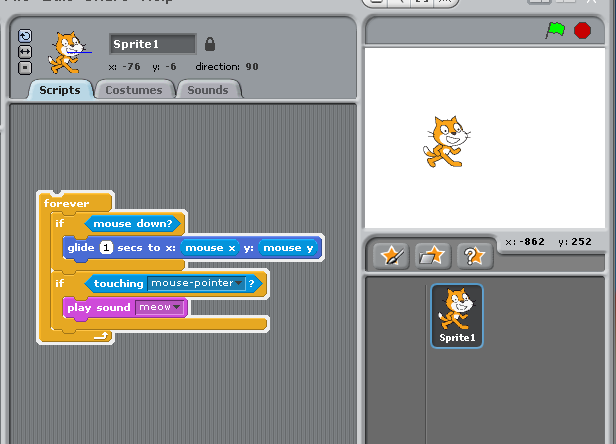
In this activity we have to try and make our sprite move by using the arrow keys. I have followed the instructions and successfully have made my sprite move through my direction of pressing the arrow keys: here is a screenshot below,
 You might be thinking, how does this work? Well it is really easy as you can see there are coloured bars along the left hand side of the screen. Theses are the basic steps taken to make my sprite move. The first step is "when UP ARROW key pressed" " Point in the direction 0" this simply means that when you press the upper arrow to make it move upwards just like they do in pacman. then afterwards you make directions for every arrow and in no time at all you will see that your sprite is moving around the page :)

Keep Score
In this activity we are trying to make a score board, each time the cat touches the fish the scoreboard changes. It is pretty easy since you just need to follow directions but other than that the main idea is to have a basic game, here is my screenshot of trying to do it<


Tuesday, October 18, 2011
Scratch And Programming Control Structures
Remember the three control structures; - sequence, selection and repetition. (in the algorithms document you started with)

Subscribe to:
Posts (Atom)